
When PureRAW 5 was announced a couple of weeks ago, I had only briefly tried it and the initial release had an annoying bug in it, so I wasn’t able to test it properly. However, since that was quickly fixed, I have been trying it out properly to judge how much of an improvement it is over previous iterations. In particular, I have been looking at two main areas. Firstly, how good is the new X-Trans specific mode and secondly, does Deep Prime 3 address some of the issues of the previous version on non X-Trans images.
A quick note about this review.
One of the things this is to accurately show differences in the confines of a web page. Unfortunately, Squarespace doesn’t let you do the left and right comparison type thing with the slider which makes it easier to see differences, so I’m not going to post countless crops or comparisons of pixel peeping details. There just won’t be any point. I will post a few using Lightroom’s compare tool, where I think you’ll see what I’m trying to explain within the confines of the web page, but there is a trial version available so you can check it out yourself. I really wish there was an easy way around this, but unfortunately, it’s the limit of the blogging platform I use.
Fujifilm X-Trans Conversions with the new DeepPrime X-Trans algorithm in PureRAW 5
So rather than beating around the bush, let me get straight to the point. The new X-Trans version of DeepPrime is very, very good. Except there is one major problem with it. It doesn’t currently support X-Trans 5 sensor cameras. This rules out the XT-5 and the X100VI, which is a pain. It currently only supports 26mp X-Trans sensors and earlier. I hadn’t even noticed this when I first looked at the software, as it’s in tiny print on the website, but anyway. I don’t know if this support will be added during the PureRAW 5 release cycle or not, so if you’re on one of these cameras, just be warned. The normal DeepPRIME 3 does seem to work with these RAW files, but the result isn’t as good in my opinion, as it’s not optimised for X-Trans’s unique demosaicing.
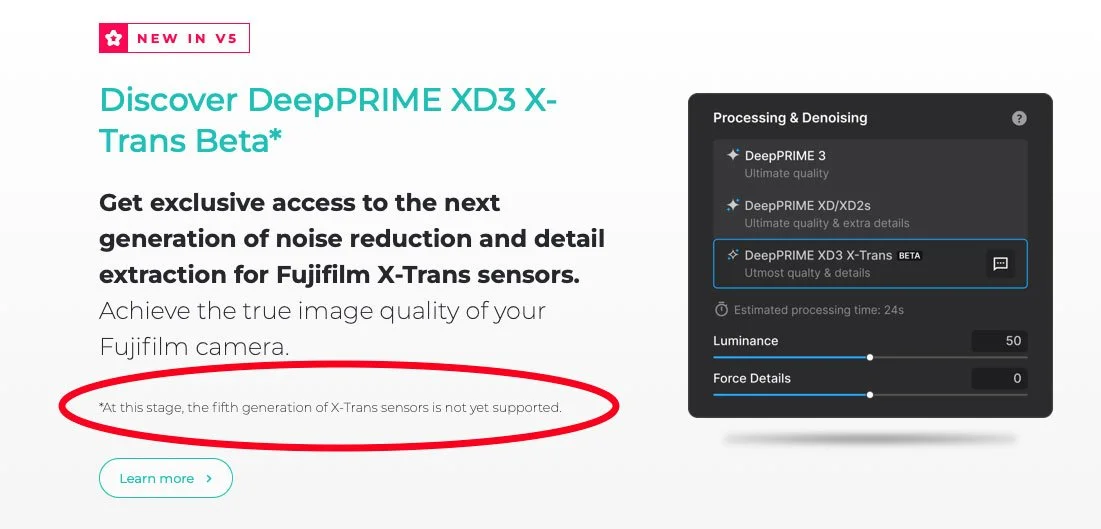
So what is it like for X-Trans 4 sensors? Well, I’ve been testing it on images from my X-E4 and the results are quite impressive. The detail it can extract from an X-Trans file is nothing short of remarkable. I’ve tested a lot of X-Trans converters over the years, and I think this might be one of the best, if not the best. Compared to normal X-Trans files processed in Lightroom, well, there’s no comparison. It’s far more detailed and doesn’t have any of the normal X-Trans artefacts. But even compared to Lightroom’s enhance, it’s superior. It’s able to resolve more detail.
What really struck me was that fine textural details on things like walls or ground details that aren’t even visible in certain images using the standard RAW conversion, were noticeable after running it through Prue RAW. Foliage, an area where Lightroom’s default RAW conversions are problematic, is dramatically better (see screenshot below) Even compared to Capture One, there is a noticeable improvement in detail. I didn’t really notice any major artefacting either in any of the images I tested.
The settings I used for these are as follows:

These are settings for images that are primarily low or normal ISO images, and ones which I want to get the most amount of detail out of. For higher ISO images, raise the Luminance value (unless you intend to keep the grain) and possibly drop the Force Details level. If you find that this is too sharp, simply set the Lens Sharpness Optimisation to soft.
Foliage Details compared to RAF file. Default settings in Lightroom for RAF files. Click to View Large
Click to view large
Click to view Large
Pure RAW (on the left) Compared to Lightroom’s RAW Details Enhance Mode (on the right - with a little NR too.)
Click to view large


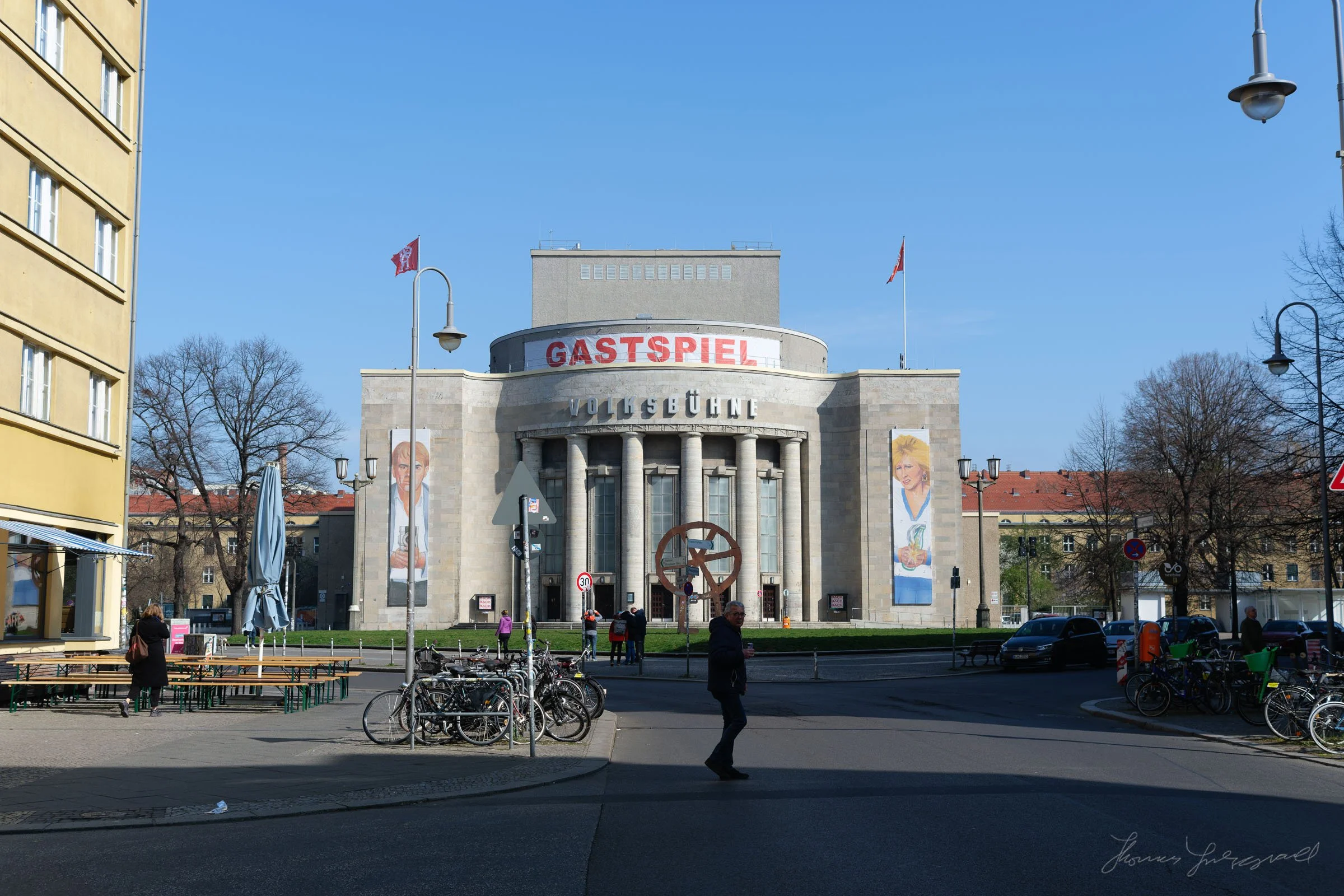

Above is the full images from the crops. These are not Full Res but it shows you the context of the crop. Click to view large. These are completely unedited apart from the conversion with PureRAW.
Now, the one downside of using Pure RAW 5 for X-Trans conversions is that it’s slow. On my M1 Max Mac Studio, each image takes about 30 seconds to process. I’m sure this is faster with newer machines, but if you wanted to batch process a lot of images, then it could be a problem. Of course there’s also the issue that linearised DNG files take up more space than a RAW file, but this is true regardless of how you covert them unless the software supports compression, which this, so far, does not.
Pure RAW 5 on Non X-Trans Files
So what about the differences in Non X-Trans files? Well, I’ve been trying it with my Canon R6II images, and comparing DeepPRIME 2XD and DeepPRIME 3 and for the most part, the results are subtle, but I have noticed that DeepPRIME 3 is more natural looking and less prone to over sharpening. You can use the “Standard” lens optimisation more often than you would on the previous version, where I would often find that this leads to over sharpening.
One area where I noticed this was in the images I took of lake Zurich, which I had been having trouble processing. On the lake surface, which had some weird over sharpening artefacts on version 2, did look better and more natural with version 3, although the differences are subtle.
Canon RAW file processed in PR 5 and PR 4 - The Deep Prime 3 on the Left, version 2 on the Right. Note that version 2 while it appears sharper is over-sharpened and full of artefacts. the DeepPRIME 3 version is much more natural in my opinion. Click to view large.
Conclusion
I haven’t touched on some of the other features in this release, such as the ability to save presets, or the ability to selectively apply different settings based on masks, but I will say this: I went back to PureRAW 4 to do some comparisons and even after only two weeks of using version 5, version 4 seemed so clunky in comparison.
I think DXO did a good job with this software, although I am disappointed by the lack of X-Trans 5 support. I hope it comes during this release run, but I wouldn’t be hugely surprised if it didn’t.
I strongly urge you to try this for yourself. 1:1 crops on a website can’t do justice to this, and you’re much better off trying it on your images. They have a trial version available that’s completely unlimited for a 14-day period, and you can use this to see for yourself whether it’s worth it or not.
Ethics Note
While I am on the DXO affiliate programme, this review isn’t paid for. I do get a small commission for sales through the affiliate link, but this is not directly sponsored, and no one from the company asked me for to review it. I know given the publicity around this topic lately, that some people will find it hard to believe that you can be unbiased, but believe me, given the size of my website, the amount I earn from over the course of a year, wouldn’t even pay me to host this site. I accept affiliate links primarily as it provides access to allow me to review and test software for you. It’s not worth it for the money. I only ever write about software I like and use. I have been on several other affiliate programmes and I don’t cover, or stopped covering that software because I wouldn’t recommend it to my audiences.
Help Support the Blog
Check out my eBooks and Presets
Check out my [photography eBooks , Capture One Styles, and Lightroom Presets available on GumRoad].
Subscribe to my YouTube Channel
Check out my [YouTube channel] for tutorials, Vlogs, and more!
Buy me a coffee!
If you want to say thanks or help, then you can feed my caffeine habit and [buy me a coffee via PayPal with a one off donation to my PayPal tip jar]. (Please note that PayPal doesn’t make it easy to respond to these so just know you are thanked in advance)
Note that this post contains paid affiliate links. We get a small commission for purchases made through these links, which helps run this site.