
Adobe has released a new update to Lightroom Classic and the rest of the Lightroom and Photoshop family. In Lightroom Classic, there are a couple of significant changes in this release, including a change to how “Enhance” works and some new functions in the remove tool.
Changes to Enhance in Lightroom 14.4
The old “Enhance” dialog is gone, and now Raw Details, Super Resolution and Denoise are all non-destructive and no longer require you to create a separate DNG file. You can now find them in the Details panel as options you can toggle on or off.
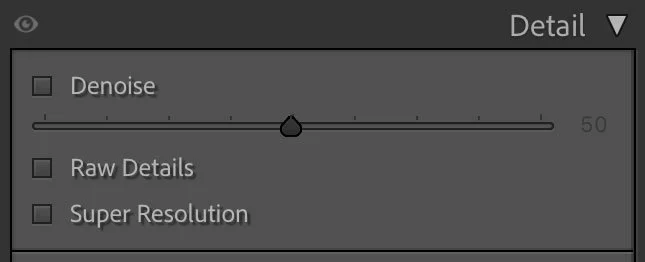
When you first trigger one of the options, Lightroom still has to calculate, but if you turn it on or off, you won’t need to re-do the calculation each time. Not only that, but if you use Denoise, once the initial calculation is done you can adjust the amount of Denoise without having to recalculate each time. You simply adjust the slider until you get the result you want. This is a big step up from having to create a new DNG file every time if you want to try different values.
You can also save these options as a preset or copy and paste them to new images. If you’re a Fujifilm X series shooter, and you use RAW details to get better demosaicing, then you should be able to save this as a preset and apply it to multiple images. You will still need to let it calculate, but it no longer needs to generate a separate DNG file for each image. If you use this as an import preset you then have to manually update all the AI settings. So after import, select all your images and then in the library choose: Photo > Develop Settings > Update AI settings.
I’m not 100% sure where the information for this is being stored. I had initially thought it was being stored in XMP sidecar files, but now I’m not sure. It could also be in the Camera Raw Cache or the Preview Data, but my attempts to determine this have failed, as I couldn’t discern any corresponding increase in file size that matched the tests I was doing. Hopefully, now that this release is out, Adobe might have the actual details on how this works posted somewhere.
Improvements to the Remove Tool: Remove Reflections and Remove People
The remove tool has seen some new additions with this release with the inclusion of remove distractions. This contains two options: remove reflections and remove people. Both of these options had previously been in Camera Raw, but now they are in Lightroom, saving you some round-tripping.
“Remove reflections” is particularly impressive. When you apply this function, Lightroom will calculate and then give you a slider. This goes from 100 to negative 100. At the full plus 100 value it will completely remove reflections. If you set it to negative 100 all you are left with is the actual reflection.
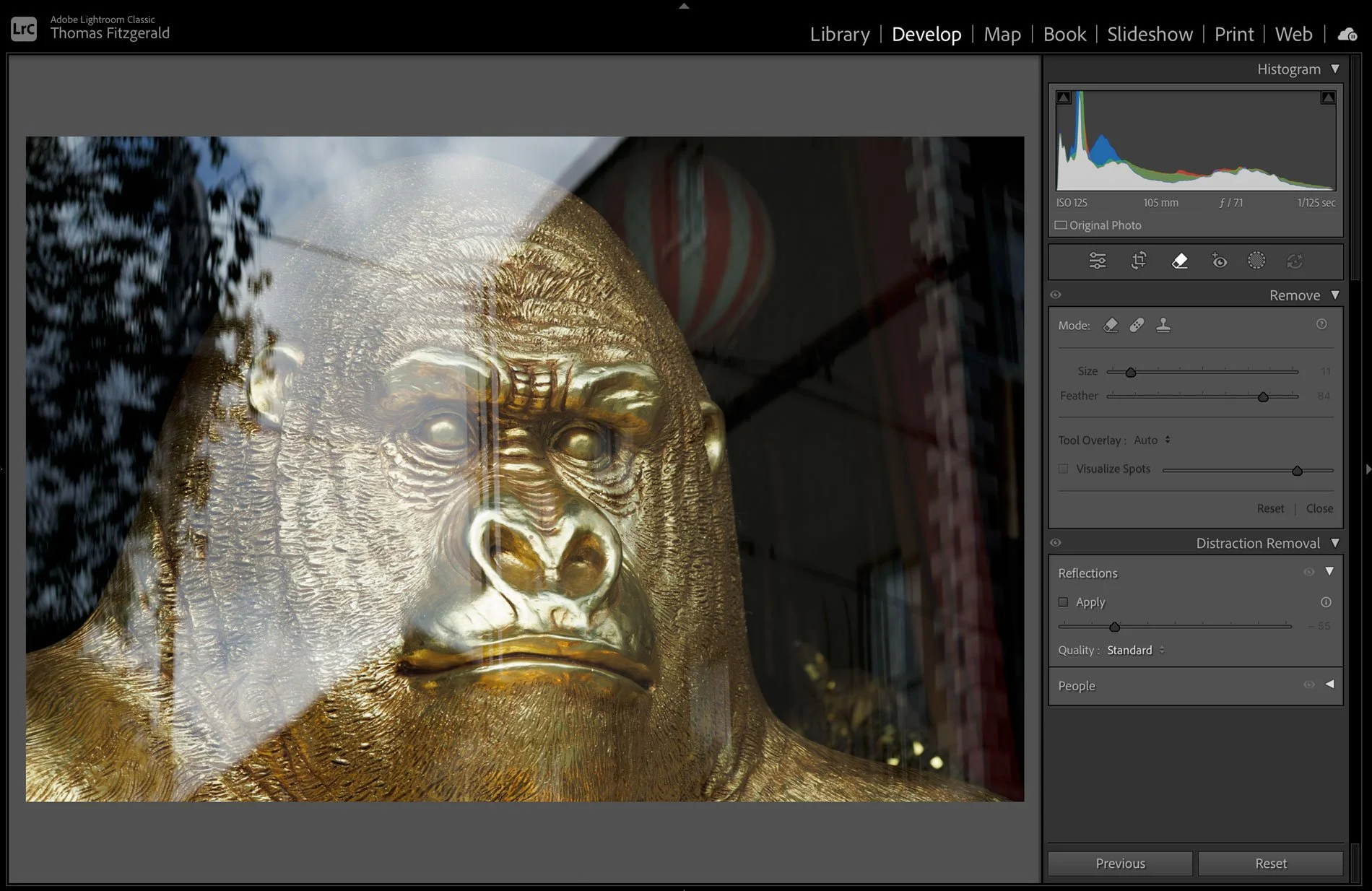
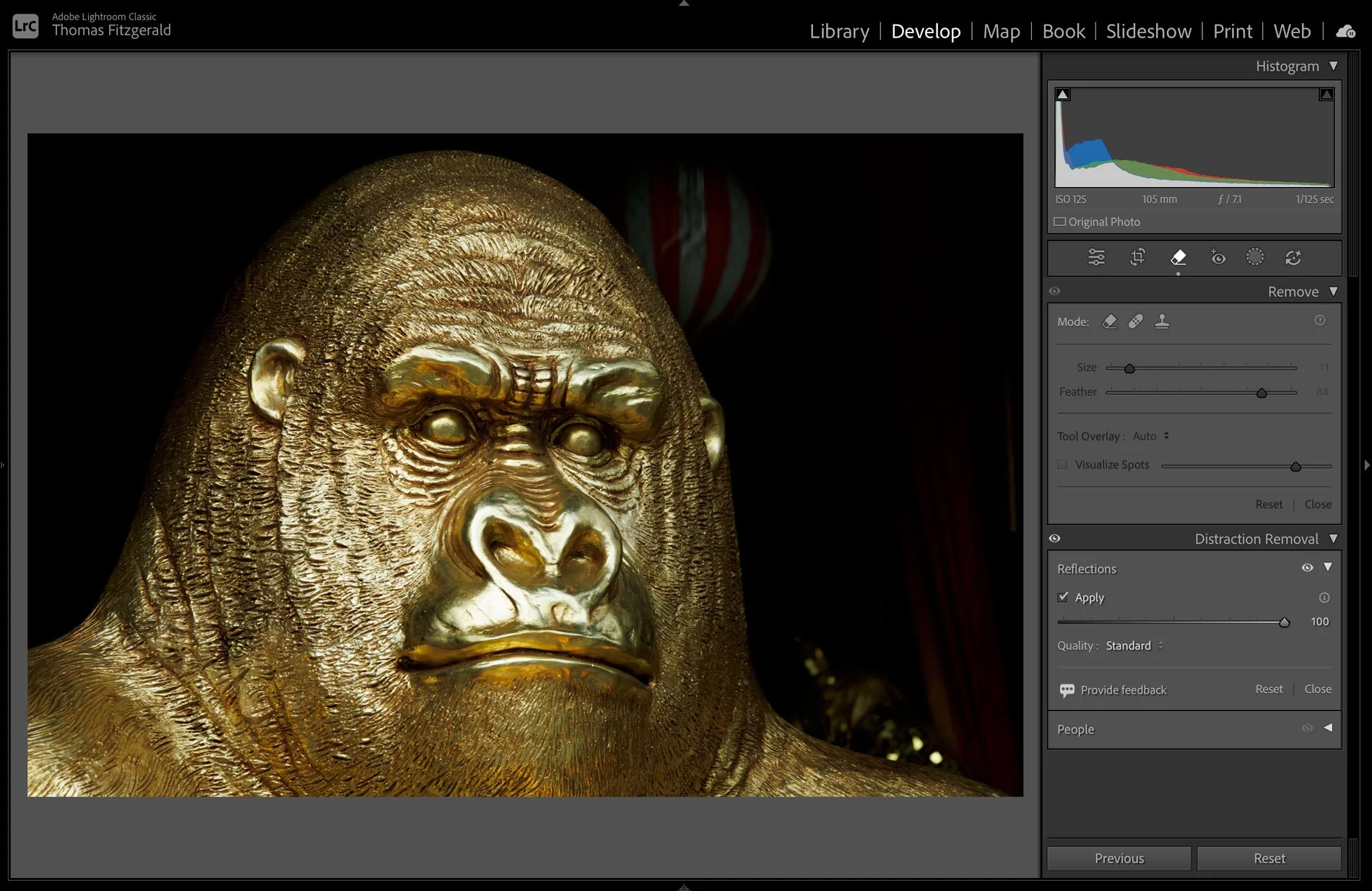
“Remove People” under remove distractions is supposed to find all the “distracting” people in the image and remove them. It uses the generative erase feature to do the actual removal. In my testing, his is a bit hit-and-miss. Sometimes it doesn’t fins all the people, and other times it removes them with different and distorted people. It also suffers from the usual problem of generative remove, and that is a resolution mismatch with the results. I would use this sparingly.
Other Improvements
There are a couple of other minor updates to Lightroom in this release, and these include:
- Reconnect Folders - they have made it easier to reconnect missing folders instead of individual images.
- Native tethered capture for Fujifilm cameras
- Lightroom Classic now remembers your last selection for recently accessed sources. So if you had a number of images selected in a folder or collection, and then you go to a different folder and later come back to it, the images you had selected will still be selected. This has to be turned on in the preferences.
Lightroom Classic 14.4 should be available now by the time you read this. Just go to your creative cloud application and choose the option to check for updates. There are also corresponding updates to the various other iterations of Lightroom and to Photoshop and Camera Raw.