
It’s only been a short time since Adobe released Lightroom 14.4, but the next iteration is already out. I’m actually a little late on this - as it didn’t get much fanfare when they launched it. While this is mostly an under-the-hood update, the release does have a couple of new features and one big fix for generative remove.
Generative Remove Update
One of the big issues with generative erase was that if you were using it on an area with people, for example, it would often replace them with other people (or some kind of person/blob hybrid). This was especially true if it was a photograph of somewhere famous or very tourist heavy. Obviously, the model had been trained on lots of public images and because certain spots are generally covered with people, the model thinks those places should have people in them.


Adobe had previously fixed this (for the most part) in Photoshop, and now that update comes to Lightroom. I had actually run into this problem myself a while ago on an image of Berlin I had shot while there. It was of the Brandenburg Gate, and as a popular tourist spot, it was nigh impossible to get a clean image without people. I did a reasonable job of removing them with generative remove, but for some areas, it just replaced the people or cars with other people or cars. I ended up having to go to Photoshop to fix it, and some of it still wasn’t possible.
To test the new model, I tried it again on the same image in both 14.4 and 14.5. I used an image of the New York Public Library and tried to remove the people from the steps. It just replaced them with other people. However, after updating, it removes the people without replacing them with others, so a solid improvement. I’m sure there will still be occasions where this doesn’t work, but it’s certainly a big improvement.
GPU Preview Acceleration
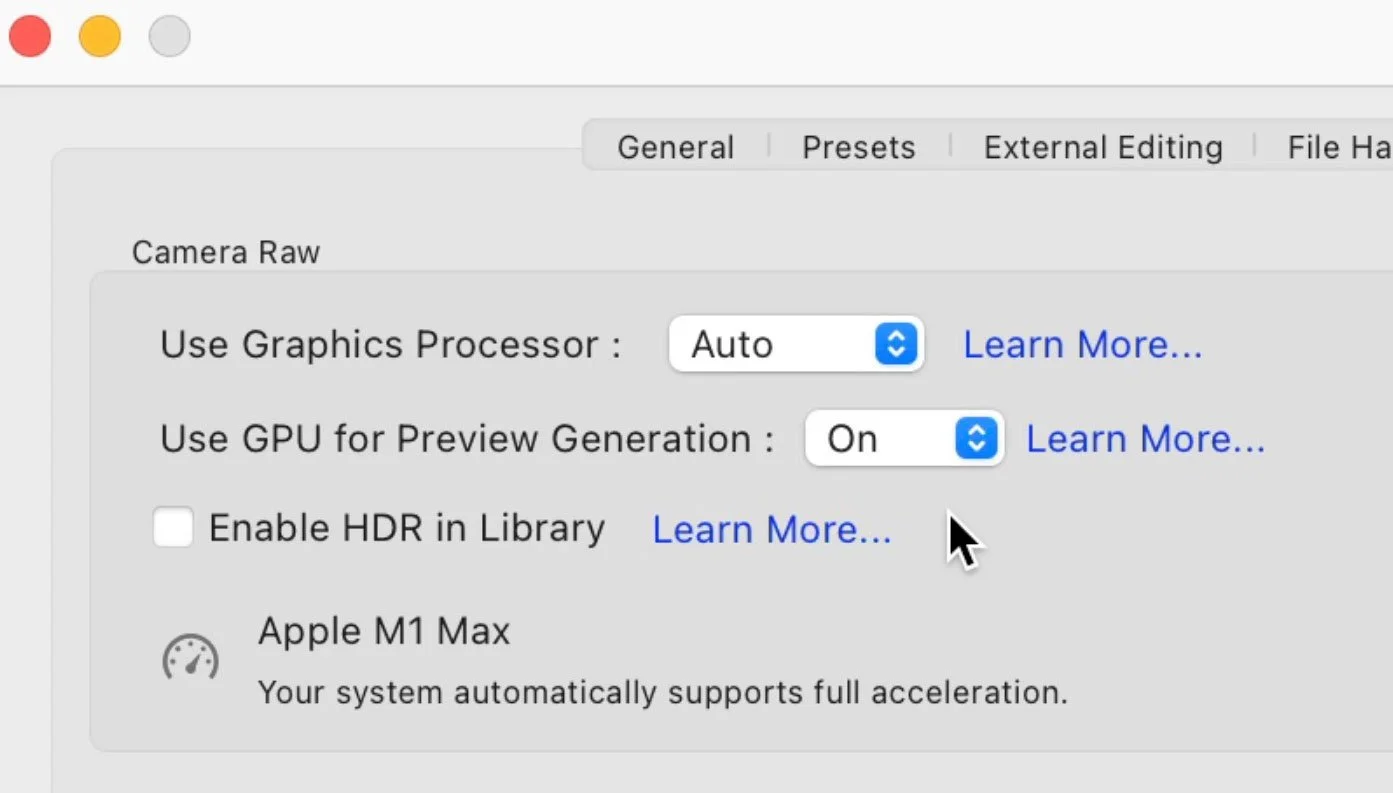
With this release, Lightroom will now use the gpu when building previews. To be honest, I thought it had already done this, but I guess not! I did a quick test on 100 images and before upgrading it took 2 mins and 29 seconds. After upgrading, and using the GPU on my Apple Studio M1 Max, it took 44 seconds. Not too shabby!
Copy and Paste, and Preset….presets?
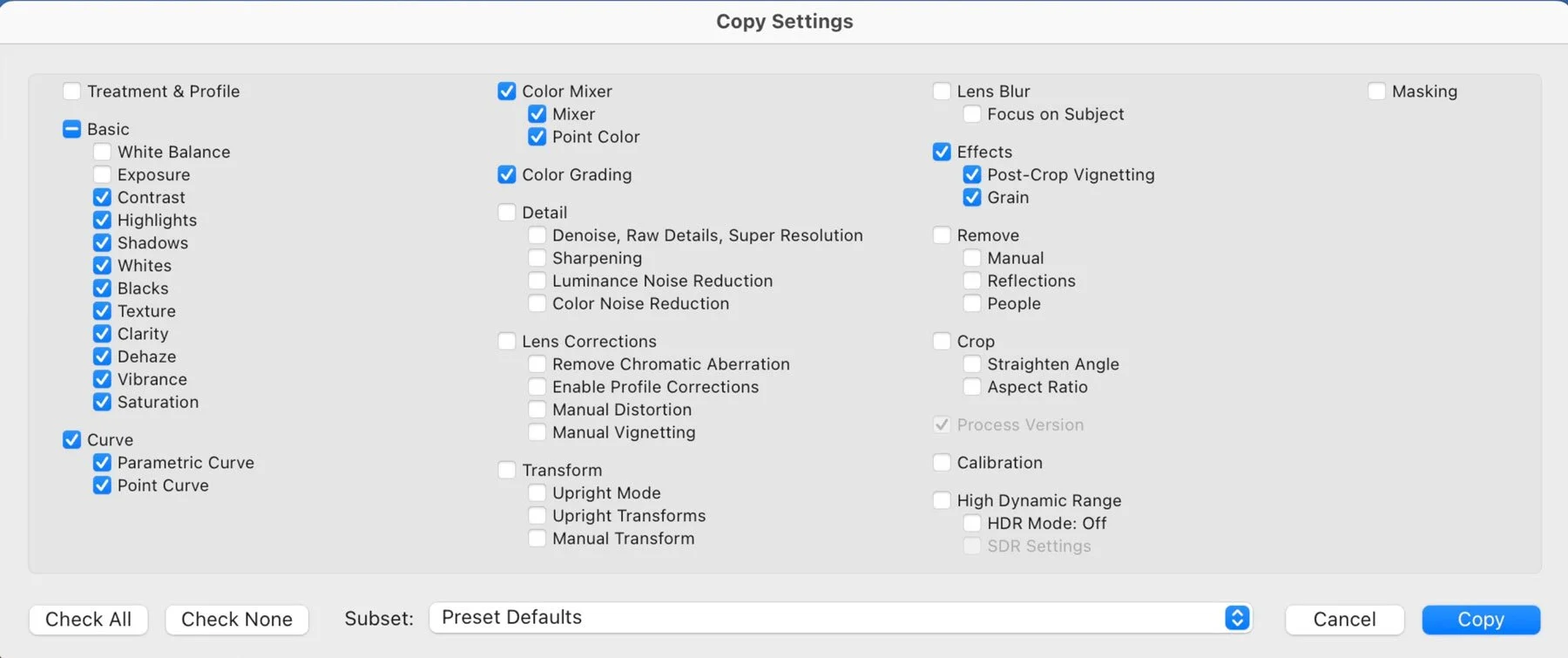
This is one of those things that sounds dull on paper, but is actually a huge help, especially if you regularly create presets. When you go to save a preset or copy and paste settings, you often find yourself turning on and off parameters to save. Well, now you can save these combinations of checkboxes as sets. When I’m making presets, I always use the same settings, and then I have to reset that every time I’m saving or copying something else. This is actually a massive help being able to do this.
Other bits and pieces
There are the usual bug fixes and camera support added to this release too, and as always, there are the corresponding updates to the other applications in the Lightroom / Photography family. And, as I’m sure someone will ask this, no they haven’t added background processing to the AI updating yet.