
DxO PhotoLab 10 released: adds depth-aware masking, colour grading and expanded AI tools
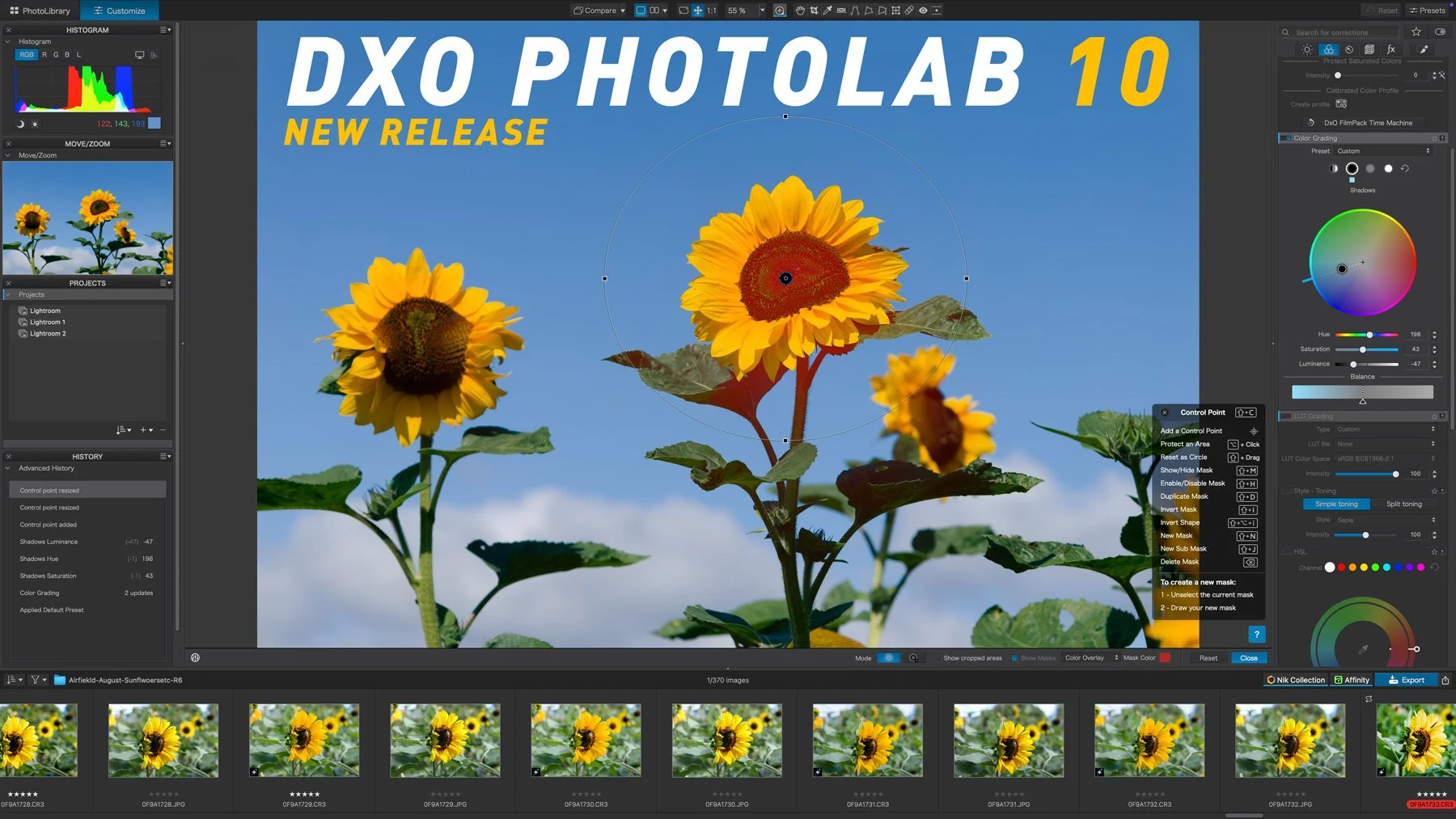
DxO has released PhotoLab 10, the latest version of its RAW photo editing software for macOS and Windows. The update adds new ways to make selective adjustments, expands the software’s AI-assisted masking capabilities and introduces a new colour grading tool.
The release also adds a direct connection to Affinity for pixel-level editing, along with several changes aimed at improving photo library management and everyday editing workflows.
Depth Masks for distance-based adjustments
One of the main additions in PhotoLab 10 is Depth Masks. The feature uses AI to analyse an image and create a depth map, allowing adjustments to be targeted according to an element’s distance from the camera.
This means photographers can make adjustments to foreground, midground or background areas without needing embedded depth information in the image. Once an adjustment has been applied, sliders and feathering controls can be used to refine where the effect appears.
The approach provides another option for selective editing alongside PhotoLab’s existing masking tools.
A new Colour Grading tool
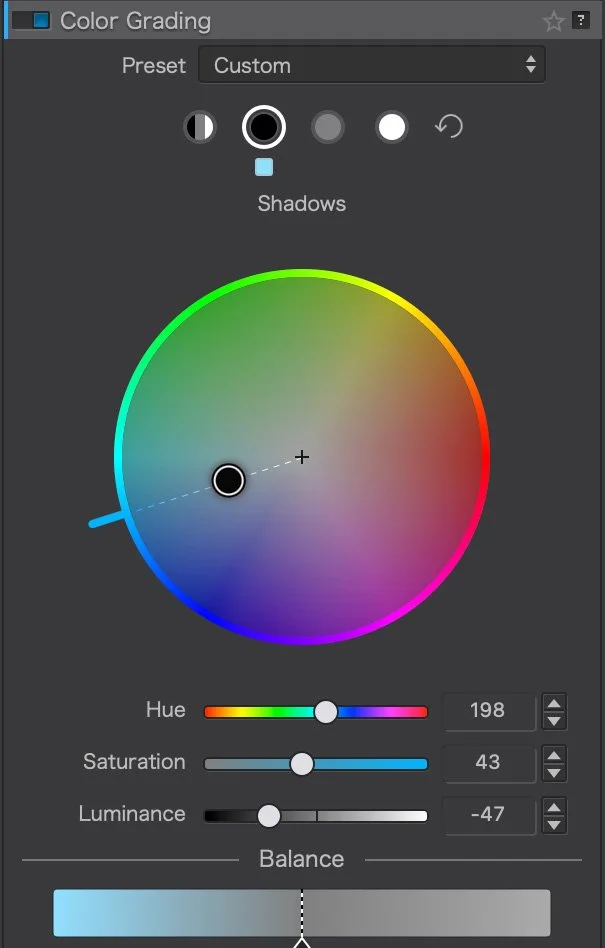
PhotoLab 10 also introduces a new Colour Grading tool built around a single colour wheel. It allows shadows, midtones, highlights and overall colour balance to be adjusted independently on a single colour wheel.
More AI-assisted masking options
AI Masks have been expanded in several areas.
The software can now identify individual people in a scene. Photographers can create one mask covering everyone, combine selected people into a single mask, or create separate masks for individual people. Individual facial features can also be selected when more targeted adjustments are needed.
PhotoLab 10 adds further face segmentation categories, including eyebrows, eyes, irises, pupils, sclera, teeth, facial hair, face skin and lips. These sit alongside existing AI selection categories such as sky, subject, background, people, animals, flowers and vehicles.
AI Masks can also now be refined with U Point™ technology. After creating an AI-based selection, the U Point eyedropper can be used to expand or contract the selected area based on colour and luminosity.
Another AI-assisted addition is automatic sensor dust removal. PhotoLab 10 can detect and remove sensor dust and small imperfections at the RAW level before they become part of the editing workflow.
More flexibility with U Point adjustments
PhotoLab’s local adjustment tools have also been expanded. A new Control Brush combines conventional brush-based painting with U Point’s colour- and luminosity-based selection.
Control Points can now be switched from circular to elliptical shapes, which can be useful when an elliptical selection better matches the subject being adjusted.
Together with AI Masks and Depth Masks, these options give photographers several different ways to create and refine local adjustments depending on the image and the area they want to edit.
Direct editing in Affinity
PhotoLab 10 adds a new button alongside the existing export options that sends a photograph directly to Affinity for pixel-level editing.
This provides a route from PhotoLab’s RAW processing environment into Affinity for tasks such as retouching, compositing and detailed pixel manipulation. DxO describes this as the first stage of an ongoing integration between the two applications, with further developments planned for future releases.
The one thing I will say about this that might be a little confusing is that PhotoLab 10 does not support the Affinity file format, despite Canva making it open. So you’ll have to use TIFF. I would have suspected that they would have added this given how this is a big part of the announcement, but anyway. Given the note about further collaboration, perhaps this will be added in the future.
Other workflow changes
There are also several smaller workflow improvements in PhotoLab 10. These include support for as-shot crop ratios, histogram adjustments directly within PhotoLibrary, improved database backup and restoration, and simplified folder relocation management.
These changes are aimed at making it easier to organise and work with larger photo libraries alongside the new editing features.
Pricing and availability
DxO PhotoLab 10 is available now for macOS and Windows,
New license $249.99 / 249,99 € / £229.99
Upgrade from DxO PhotoLab 8 or 9: $129.99 / 129,99 € / £114.99
The release is available from DxO’s Online Store, and a 30-day trial is also available from the DXO website.
You can also use my code: ThomasFitzgerald15 to get 15% off (new customers only, I’m afraid).
Note that this post contains a paid affiliate code. We get a small commission for purchases made using this code, which helps run this site.