
DxO has just released Nik Collection 8, the latest version of their plugin suite for Photoshop, Lightroom Classic, and PhotoLab. This update lands hot off the heels of their recent PureRAW 5 release, so it’s been a busy stretch for DxO.
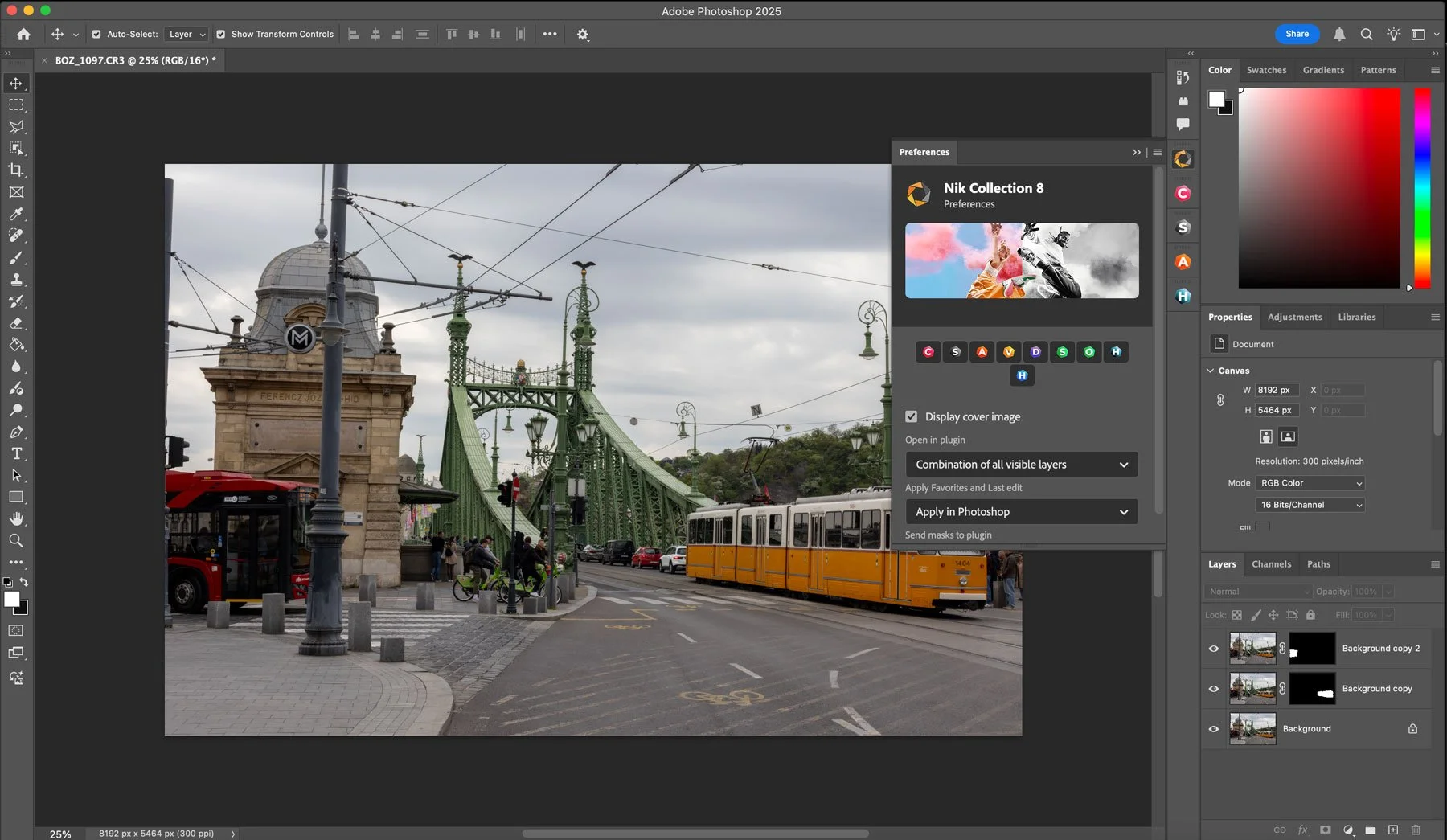
Looking at what’s new in version 8, and much of the focus is on using the plugins inside Photoshop as part of your workflow, with the ability to use Photoshop masks inside the plug-ins. This means you can now use Photoshop’s AI masking to affect selective edits within the Nik Collection. Here’s a look at some of the key new features.
More Integration with Photoshop
One of the headline changes is the new ability to bring masks from Photoshop into any Nik plugin. That means you can use Photoshop’s selection tools to create a precise mask, then bring that into (for example) Color Efex or Silver Efex for targeted adjustments. You can also pass masks between the plugins and send them back to Photoshop for further refinement. It’s a fairly open exchange now, which is a big improvement if you tend to move back and forth between tools.
Smarter Round-Tripping
They’ve also made the return trip to Photoshop more flexible. When you send your edits back, you now have the choice of applying them to the current layer, creating a new layer, or using a Smart Object for non-destructive editing. There’s also the option to send your changes back as a new layer with a mask already applied—handy if you like to blend things in manually.
Redesigned Photoshop Panel
The old Nik Collection palette has been replaced with a new dockable panel. It’s customizable, so you can choose which plugins are visible and access them with a single click. There are also quick-access controls for managing masks and layers. If you’re in Photoshop a lot, this should help streamline things a bit.
Updates to Silver Efex
Silver Efex, their black-and-white plugin, gets some interface tweaks and a few new features. You can now view the original color image while working in monochrome, which can be useful when using color filters or adjusting tonal sensitivity. The interface has been restructured to behave more like Color Efex, and when you apply a preset, it only loads the relevant filters instead of everything.
They’ve also added local versions of ClearView and Selective Tone, and each filter now comes with pre-defined looks, so it’s a bit quicker to test out different effects.
New Color Masking in Color Efex
Color Efex now includes a Color Mask feature, which lets you target a specific color range for local adjustments. You click on the color you want, refine the selection, and then apply changes just to that area. It’s not quite as sophisticated as something like Lightroom’s masking, but it’s a useful addition for those who like to work inside the plugin.
Quicker Export Options
Finally, the Quick Export function has been updated. You can now switch to TIFF format more easily, and the export options are directly accessible, so you’re not digging through menus every time you want to change the output format.
Pricing and Availability
Nik Collection 8 is available now for macOS and Windows:
New License: €159.99 / $159.99 / £145.99
Upgrade from Nik Collection 6 or 7: €89.99 / $89.99 / £79.99
You can download a 30-day trial from the companies website, if you want to try it before upgrading.
Help Support the Blog
Check out my eBooks and Presets
Check out my photography eBooks , Capture One Styles, and Lightroom Presets available on GumRoad.
Subscribe to my YouTube Channel
Check out my YouTube channel for tutorials, Vlogs, and more!
Buy me a coffee!
If you want to say thanks or help, then you can feed my caffeine habit and buy me a coffee via PayPal with a one off donation to my PayPal tip jar. (Please note that PayPal doesn’t make it easy to respond to these so just know you are thanked in advance)
Note that this post contains paid affiliate links. We get a small commission for purchases made through these links, which helps run this site.