

Last week, Blackmagic Design announced the release of the beta version of DaVinci Resolve 21. One of the new features of that release took everyone by surprise: the software would now support photo editing. Resolve 21 now has a photo page which lets you work with RAW and non-RAW photos, with RAW support from a variety of manufacturers. Not only that, but you can use the full (almost) colour and Fusion pages with your still photos for complex colour grading and image editing. It’s a pretty big deal, although there are still quite a few limitations in the current version.
Why is Davinci Resolve Supporting Still Photos a big Deal?
So why is this such a big deal? If you have been reading about this at all, you’ve undoubtedly seen some incredibly hyperbolic articles and commentary around this release of DaVinci Resolve. People have declared it the obligatory “Lightroom Killer” (it’s not), as well as the usual round of “Can we cancel our Adobe subscriptions now?” (No.) The thing is, it’s not a “Lightroom Killer” at all. It’s not like Lightroom, really, in any way other than the fact that it works with RAW photos and has some organizational tools. And that’s actually its killer feature. It’s the fact that it’s totally different is what’s so good about it. In fact, as far as I can tell, it’s pretty unique in terms of still image editing.
Here’s a funny story. A year ago, on Threads, I actually expressed a desire for exactly this. I said that I wished Blackmagic would release a stills version of Resolve.
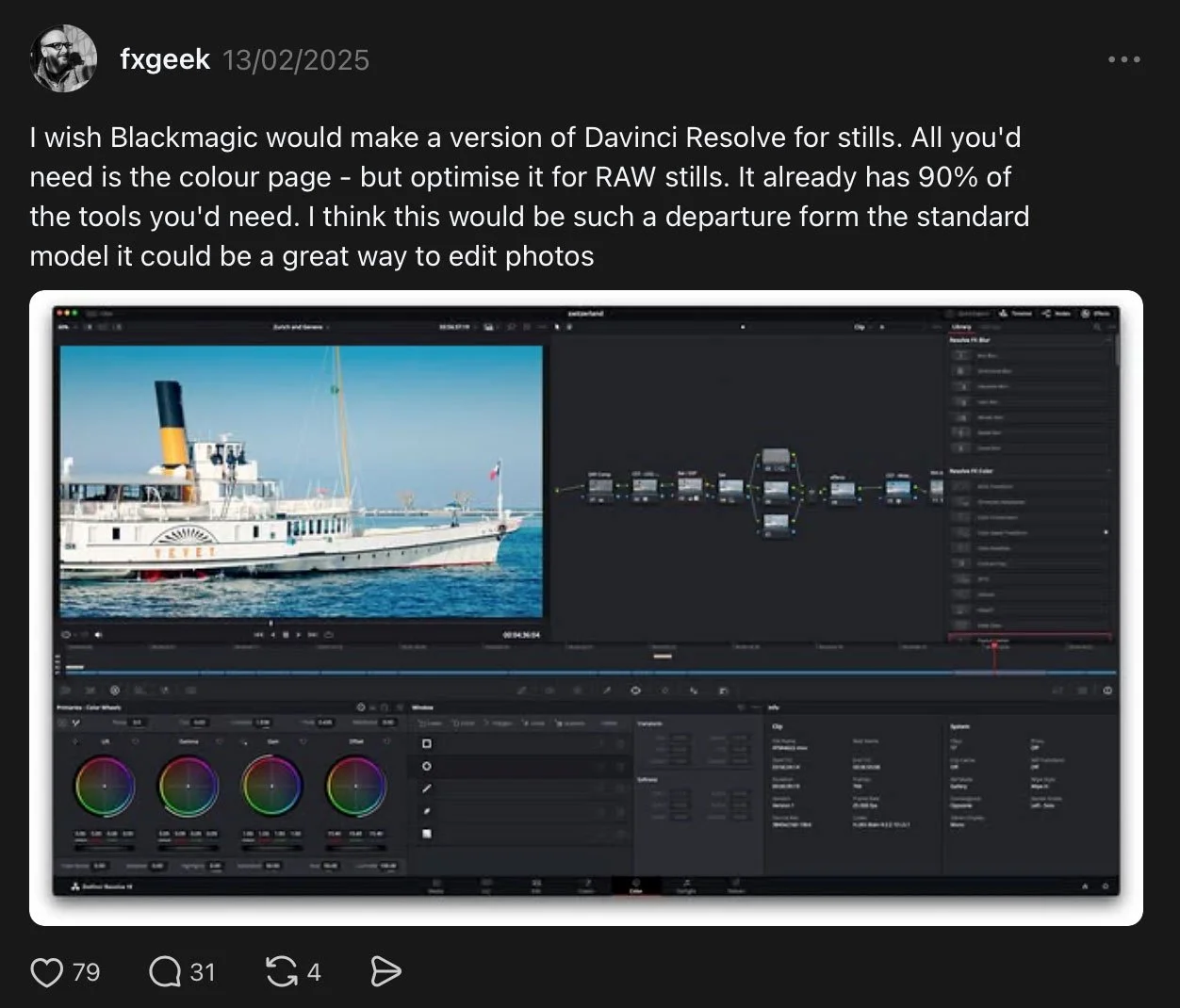
I never expected that they would actually do it. If you have never used node-based editing before, it can take a bit of getting used to, but once you do, you will see the power of it. I first got my taste of it way back when Apple had a fantastic compositing application called Shake. This was a superb piece of software, and I’m still bitter that they discontinued it. While this was focused on compositing rather than color correction, the concepts are the same. And with Resolve, you actually get the best of both worlds, as the Fusion page works similarly to how Shake worked (and how the industry leader, Nuke, works). I have always thought a node-based stills editor would be amazing, and as far as I can tell, there has never been a proper node-based still image editor before.
Before you get too excited though, there are a couple of big limitations with the current release that you should be aware of. Bear in mind that it is still in beta, so this may change before it is released. Firstly, there are no proper camera matching colour profiles, so your images colours will be off. Sometimes significantly. Secondly, there doesn’t seem to be any lens correction profiles, which is perhaps a bigger problem. The raw conversion engine in Resolve is primarily designed for video, so it’s not great for stills. There is poor noise control and there doesn’t appear to be any raw level noise reduction. There is spatial and temporal noise reduction in the software, but these require the studio version. I have tried these and they’re not as good as the options in still software, because again, they’re optimised for video. If you’re shooting images at high ISO the results won’t be great. In this case you would be better off using a third party converter to convert to either a DNG or a TIFF. You could use something like PureRAW to bake in the noise reduction and lens corrections, and this would solve part of the problem. It doesn’t address the colour accuracy though.
These are all things that can be improved though. The company has stated that it is working with camera manufacturers, and they do have a great track record of developing the software, so I am optimistic.
So how does it work?
When you import images, your first port of call will be the new Photo Page. Here you can access RAW controls and basic image editing controls, such as exposure, shadows, and highlights. You can also organise your images on this page, and you can create albums of photos.
The best way to think of albums in Resolve is that they are like timelines for stills. In the colour page, for example, when you are working with video, you have to have the video on a timeline in order to grade it. In the case of stills, they need to be in an album. So, instead of using albums to organise lots and lots of photos, you should think of an album as a collection for the ones you want to work on. You can do both, but when you want to start doing more extensive editing, you need to create an album just for that.
When you have done basic editing in the Photo Page and created an album, you can then do more advanced editing in the colour page. The colour page uses nodes to build up a node tree of edits. I’m not going to try and explain how this works, as it would take ages and be way beyond the scope of this article. There are plenty of videos on YouTube that explain how this works. The level of control you can achieve in here is phenomenal. You can do very precise edits with granular control over colours and more. But it’s also pretty complicated for beginners. If Lightroom is a pickup truck, then Davinci Resolve is the space shuttle.
You also have access to numerous effects and LUTs in the colour page, but be aware that many of these require the paid Studio version. Much has been made of the fact that Davinci Resolve is “free”, but there are significant limitations with the free version. Buying the Studio version isn’t entirely easy either, as you can’t buy it direct from Blackmagic Design, you have to go through a dealer. You can get it in the App Store if you’re on a Mac, but there are limitations there, and I’m not sure you get access to the Studio version of the beta if you have the App Store version.
Power Editing
There are some very powerful tools in here that are probably beyond the average user. You can, for example, convert the colour space of the RAW file to something like a log colour space, or you can work with a wide gamut intermediate colour space. This is something that is typical when editing digital cinema files, and it makes sure you don’t have any clipping or gamut issues when doing complex colour editing in the colour page. You then convert it back to RGB on output. Or you can work with HDR content too.
Another useful tool is the waveform display. I know several people have wanted waveforms for stills forever. There is a way to get waveforms for Lightroom through the use of third-party software, but it’s a bit janky and requires two monitors. Waveforms are a much better way to judge the brightness and colour values of content than a histogram, and that’s why most trained colourists swear by them. Think of it like flying by instruments.
Resolve also has some pretty powerful keying and masking tools, with much more granular control over colour and luminance keys than you can get using the masking tools in Lightroom. Of course, again, these are optimised for video, but from my testing they seem to work fine. There’s a ton of effects available too, from creative tools, like the film look creator, to more technical tools for things like colour space conversion, but as I mentioned earlier, you need the studio version for these.
You also have a complete compositing suite in the fusion page. You can use this for basic things like cloning and replacing objects in a scene, to painting out dust spots and so on. That’s really not doing it justice, and you can do some pretty complex compositing in this software. Again, I’m not going to get into it because it’s a way bigger topic than I can cover here, and also, I’m not hugely familiar with the software.
What it’s not
It’s important to reiterate what this is not. You really shouldn’t try to use this as a Lightroom replacement. It’s not really going to work for managing large quantities of photos, sorting them into projects and albums and so on. I mean, you can, but it’s going to be a world of hurt. For now though, photo editing in Davinci Resolve is best thought of as a companion to an organisational tool like Lightroom rather than a competitor to it. It’s much better suited to working on one project at a time. Narrow down the images you want to work with on a per project basis, put those in a working album, and then colour grade and do whatever other edits you want to do. Of course, if you’re working with video and you’re managing a mixed media project, then this is ideal. The cool thing about it is that all of your edits carry over across any of the “pages” in Resolve, so edits you make on a still can be used in a video project without having to export it first. And everything remains live.
Also, if you’re an amateur who just wants to do basic edits to a whole load of images, then it’s probably not for you either. It would be like using a sledgehammer to hammer in a nail. Resolve is an extremely powerful high-end tool that’s probably way more than you need if you’re just doing some basic tweaks to your photos.
I’m really not trying to be negative or put you off here, I’m just setting expectations. I’m really excited about this. By all means try it out, but be aware that you will probably need to spend a bit of time learning it in order to get the best from it. There are a ton of YouTube tutorials on how to use Davinci Resolve, so it should be no problem to find a good tutorial.
I should also point out that it’s a wee bit buggy right now too. Exporting occasionally just stops working and there’s no obvious workarounds. But again, beta !
Conclusion
As I said already, I’m really excited about this and its potential. I have wanted and dreamed about having a node based photo editor for as long as I can remember. Despite the current drawbacks, if they can address those, it’s going to be a very powerful addition to one’s creative toolset. For now, there are ways around most of them. I don’t have the full Studio version right now, but I do intend to get it shortly. When I do, and if there’s demand, I’ll do some tutorial content on how to work with Resolve specifically for stills.
Double-click to edit...