
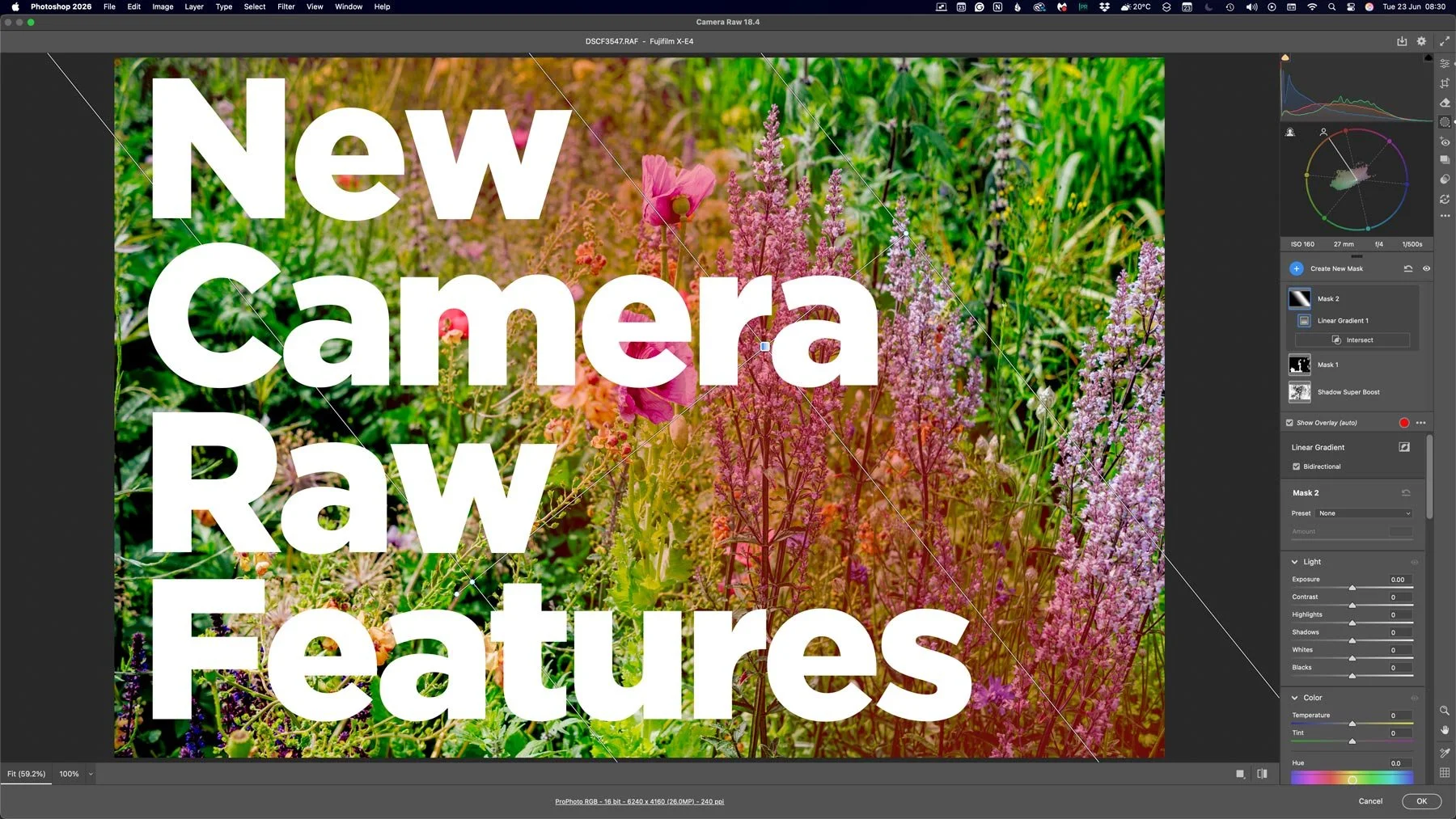
With the last few Photoshop releases, Adobe has kept adding new features to Camera RAW. Usually, these would be added to Lightroom either at the same time or with the following release, but so recently, this hasn’t been the case. And these haven’t been minor features either, we’re talking some big, long-sought-after tools, including the colour corrector in masks, and the ability to adjust the edges and feathering of AI masks. Not only that, but Lightroom (desktop) has been adding features that aren’t in Lightroom Classic, too. Are we seeing a different strategy emerging from Adobe regarding its photography applications?
What’s new in Camera RAW
I have been a bit remiss in following and reporting on this, because I mostly cover Lightroom here. I’m also in the Lightroom developer program, so I get more details about Lightroom before release, and I often miss or don’t pay that much attention to Camera RAW. I’m paying attention now, though! I was also reluctant to cover these as I figured they would be added to Lightroom, but now I don’t know what’s going on. Anyway, here are a few selected features that were added in the past few releases (going back to April)
Camera Raw 18.3 (April 2026)
Depth range mask: Create a mask based on the depth of an image. Uses AI to create a depth map, similar to the way it creates a depth map for the lens blur feature. this allows you to apply corrections based on the depth of objects in your scene.
Anamorphic Desqueeze: If you shoot with an anamorphic lens, this allows you to apply the desqueeze correction directly in Camera RAW
Projection Correction: Allows you to correct for distortions at the edges of the frame when shooting with ultra wide angle lenses. Lets you fix the stretchy people phenomenon that I covered recently.
Camera Raw 18.3.1 (May 2026)
Refine Mask Controls: Now lets you control the edges and feathering of AI masks. New sliders in the mask panels lets you contract or expand the edge, as well as blur the mask with feathering controls. I’ve been asking for this ever since they added AI masks !
Colour Grading in masking: Finally, the colour grading tool is now available when using masks. This was the one major feature that was still missing from masks in Camera Raw. I really hope that they hurry up and add this to Lightroom(s)
Camera RAW 18.4 (June 2026)
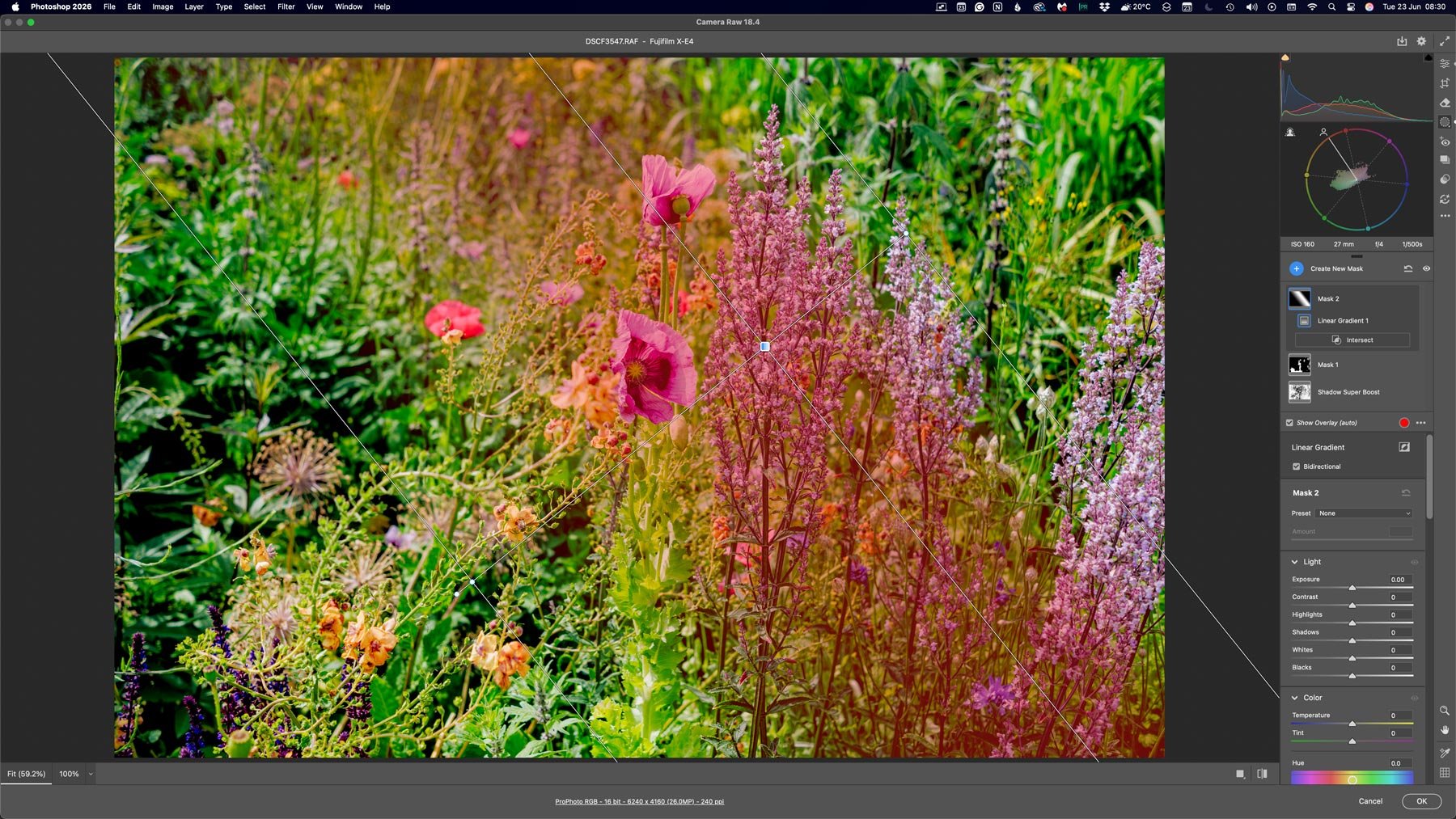
Bidirectional Gradient: This allows you to create two sided gradients. This is basically, a gradient which is soft in both directions. This is another one of those things I’ve been asking for forever.
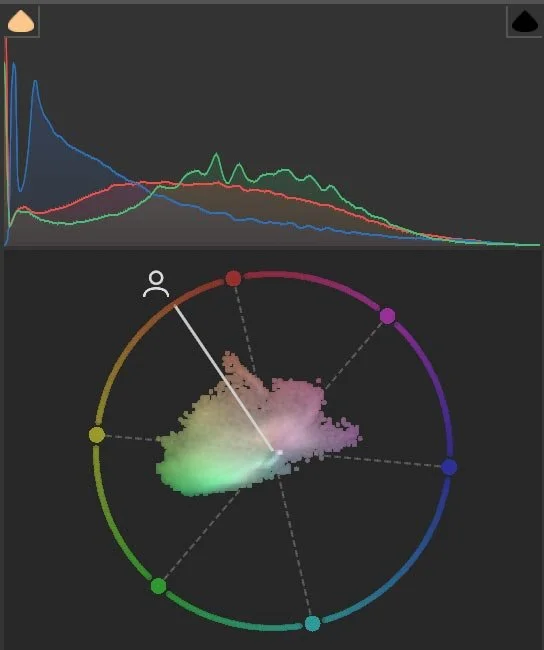
Vectorscope: They’ve actually added a vectorscope in Camera RAW. For those who are experienced with video editing and colour grading, this is a great way to see how the colour is spread out in your image, and a pretty important tool for colour grading once you learn how to use it, especially for people shots. Now, if only they would add Waveforms also.
Some of the new features in Detail
To give you a quick overview of how to use some of the new features, I have gone into a little more depth below on a few of them. I’ll cover the others in a future post.
Vectorscope
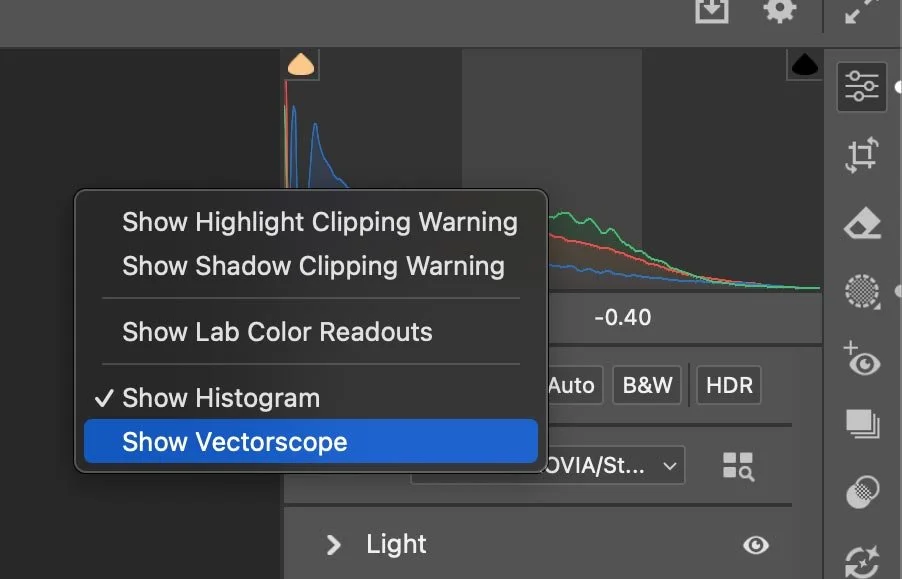
To turn on the vector scope, once in Camera Raw, simply go to the histogram and right-click on it. Then choose “Vectorscope” from the pop-up menu and check the box beside it. This will turn the feature on. If you’re not sure how a vectorscope works, there are lots of tutorials online on how to read one, as it’s been a feature of video production since colour television became a thing.
Bidirectional Gradient
This is quite easy to use, too. All you have to do is go to the mask tool, and add a gradient as normal. In the mask controls, you will see a checkbox for bidirectional gradient. Turn this on to get an additional handle to control feathering on the other side of the gradient. You can control both sides independently, though it would be nice to control how much of the centre section is solid. In other words, an additional control for the non-feathered middle section.
Depth Mask
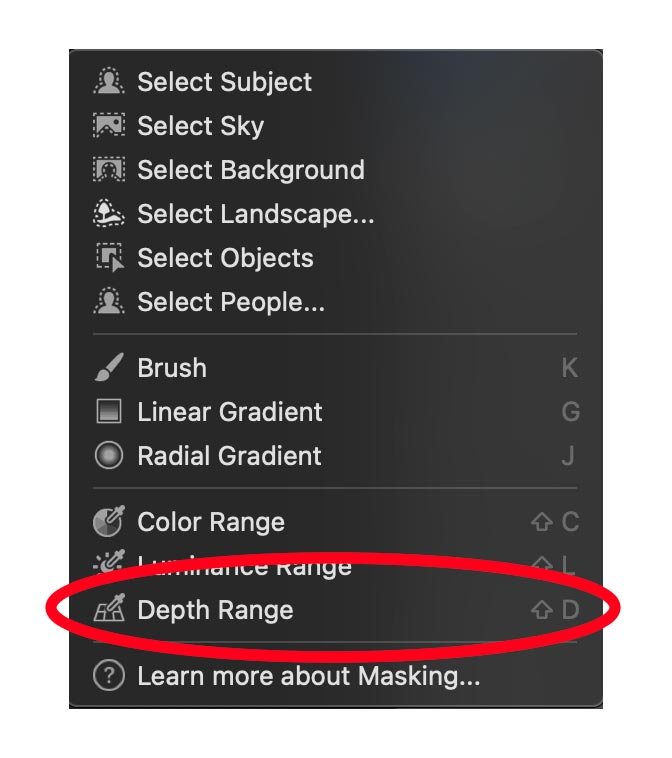
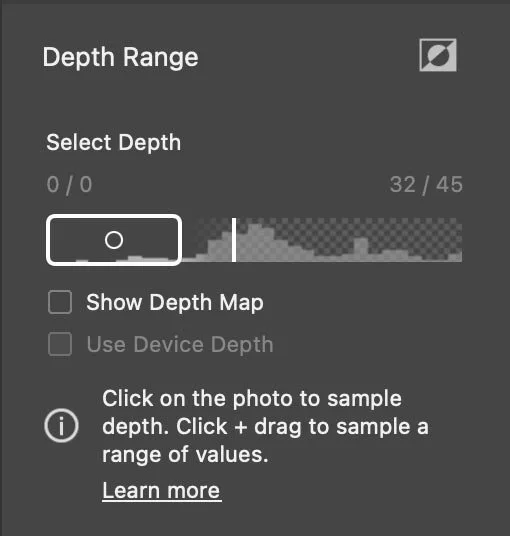
You can add a depth mask like you can with the other masks. Just go to the mask panel and select “Depth Mask” as an option. There is one other thing you need to do, though. You have to click somewhere on the image to select the focal point to activate it. Once you have created the mask, you can edit it using the same controls as the depth map in the Lens Blur feature. To be honest, I’ve had mixed results playing around with this. Sometimes it’s accurate, and other times it’s very not accurate. It’s a useful feature to have, though, and I just hope they improve the quality over time.
Conclusion
So what’s going on here? I really don’t know. I’m pretty sure this is not a big deal, and I hope that they will add these features to Ligthroom(s) in future versions, but they normally don’t take so long. It’s a bit unusual, to be honest. It used to be that any feature added to Camera Raw was also available in Lightroom Classic, since they shared the same engine. Then, a few years ago, they started releasing “beta” features in camera RAW (or “Tech Demos”), a version or two before they were added to Lightroom. But this has been three versions now, and they keep adding major new features with no sign of these being added to Lightroom any time soon.
It also used to be the case that, even if a feature wasn’t in Lightroom or Camera RAW, because they shared the same engine, changes made in one would show up in the other if you saved the changes to the XMP file. Even if there were no controls for the feature. I checked, and that’s not the case here. So, has Adobe broken the connection between the two? Is Lightroom no longer using the shared Camera RAW engine? (To be fair, this may not have been the case for a while now. I haven’t followed Camera RAW’s development as much as I should have, because it was basically the same)
I’m sure they will be at some point, but this isn’t normally the way they do this. It could be a technical issue, but I honestly don’t know what’s going on. If you have any insight, please let us know in the comments below. For what it’s worth, I’m not the only one who has noticed this and the fact that this isn’t the usual release schedule.
[UPDATE]
I did find this comment on the Adobe forums about this from an Adobe employee, and I guess it makes sense:
“Camera Raw is the Edit/Develop Engine powering the Lightroom clients. New Edit features must be built in Camera Raw before the Lightroom clients can adopt them. Unburdened by the additional cataloguing, syncing, and other workflow functionalities, Camera Raw can move more quickly to get these desired new features into your editing workflow. Our goal is to eventually port these features into the Lightroom clients. “