

Photo Editing, Tutorials, Photography News, and More
This blog covers a range of topics from Lightroom, Photoshop, Capture One, Fujifilm, Canon, Nikon, iPhone Photography, and more. If you want to see more of my actual photography work, visit my Portfolio and Photo Journal blog.
Featured Posts




Working With Capture One and Affinity Photo
One of the questions that I get asked a lot is about using Affinity Photo with Capture One. For those who want to cut the Adobe chord, Affinity Photo is the most popular alternative to Photoshop, and it makes a good companion to Capture One. Even if you still use Lightroom and Photoshop, many still like Affinity Photo for its modern user interface and speed. Round tripping between the applications is fairly straight forward, but there are still a few things to be aware of, which I will cover in this post.

Patreon Live Editing Sessions
A while ago I changed up my Patreon Tiers, and I added a new top tier which included “Live Editing Sessions” as part of the rewards. These aren’t actually live, but pre-recorded (live on tape!) - but they are essentially following along as I edit a group of images. They’re mostly unedited, and in some cases, I’m seeing the images for the first time out of the camera. So far they’ve been well received, but I wanted to give you an idea of what they entail, so here are some of the sessions I’ve posted so far. (These are normally only available to Patreon Subscribers).

Processing Fuji Files with Exposure X5: A Quick Look
When I talk about Processing Fuji raw files, I mostly cover Capture One and Lightroom (with X-transformer). While I still think that Capture One is the best overall option, there is another application that I've been using a lot lately, and that is Exposure X5. While it is not as fully featured as Lightroom or Capture One, it does have some unique attributes. For Fuji Shooters, it offers some appealing options, depending on your preferences.

How to Pixel Peep Responsibly
The term “pixel peeping” is one of those loaded terms in photography. Like “chimping” it has become an insult used by photographers to cast shade on others. Also, like chimping, the “evils” of pixel peeping have been blown out of proportion. The actual act of viewing an image at 100% on a screen actually has some valuable merits; however, it’s also essential to understand its value and limitations.

Video: A Look at Wordroom for Lightroom. A plug-in that automatically keywords your images.
One of the things I hate doing, and I’m terrible at, is keywording my photos. So when I read about this new plug-in that uses AI to automatically tag your images I thought it was definitely something worth giving a look.

Luminar 4.1 Now Available
Luminar 4 has received its first major update, and the new version adds some new functions to the Sky Replacement filter, as well as a collection of under-the-hood fixes and enhancements. Here’s a breakdown of what’s new in the update

Get Ready for a Busy Software Season
The next couple of weeks are going to be pretty busy for photo software. We’ve recently had plenty of teasing about Luminar 4, as well as an announcement of sorts about the next version of Capture One. So what can you expect over the next little while?
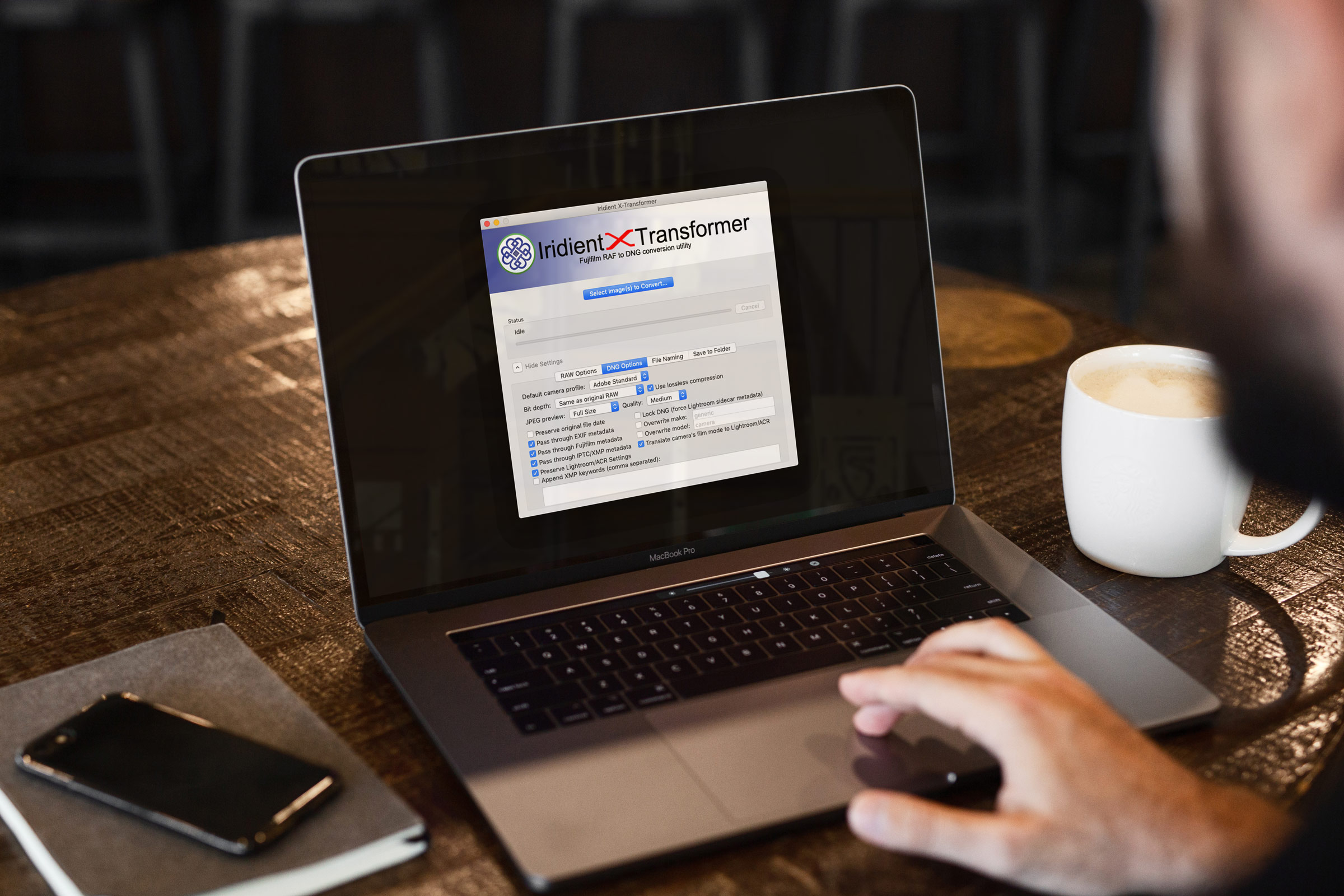
Iridient X-Transformer & Iridient Developer Updated
Iridient Digital has released a minor update for both X-Transformer and Iridient Developer. Both add support for new cameras, and some bug fixes and are available now. If you’re already a user, you can update through the interface, or you can go to the Iridient Digital website.

Video: How to import into Lightroom directly from a Memory Card on iPAD OS
One of the new features of iPadOS that was announced was the ability to import images directly into apps from attached storage, without having to go through the camera roll. Unfortunately not many apps have been updated to take advantage of this yet, including Lightroom. However, there is a pretty simple work around and in this video I show you what to do.

Photo Software News: Capture One Offer, Luminar, On1, Sony and More
There’s been a good bit of photo software news over the past week so rather than doing lots of separate posts, I thought I’d cover it here in one section. The headlines: Skylum shows off AI Portrait enhancer coming in Luminar 4, Phase One announced a new offer for Capture One, Exposure announced some details of Exposure 5, and a useful piece of software for Sony and Olympics shooters who want to use Pixel Shift.

Mastin Labs Fujicolour Original for Capture One: A Quick First Look
I’m a little late with this but following on from their first Capture One set, Mastin Labs has released another film emulation style pack. This set, called “Fujicolour Original” covers Fujifilm negative stocks, and is similar to their previous Kodak set, and the company’s Lightroom presets of the same name. They sent me a set to try out, and so here is my quick first impressions review.

Software Recommendations for Fuji Processing in 2019 (Updated in May 2019)
I’ve covered this topic a few times before on the blog, but as there have been lots of changes recently, I figured it would be time for an update. First I will go through the more popular software, and offer my opinion on each as to how it pertains to Fuji processing. Then I will discuss my current workflow. [Updated for May 2019]
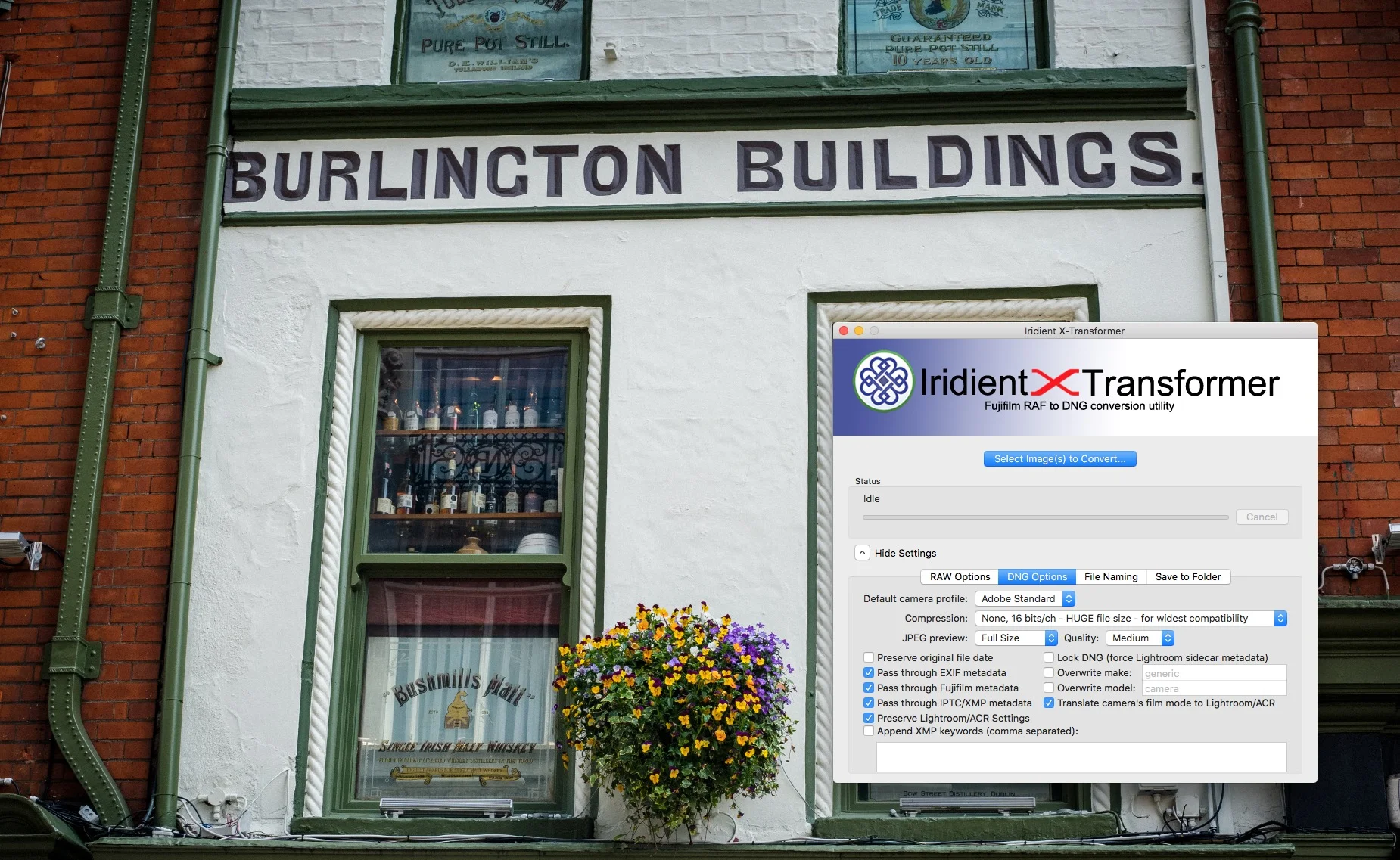
A Quick Note on Compression Options in Iridient X-Transformer 1.5
I’m really behind on this post, so apologies. I haven’t really been paying much attention to X-Transformer, as I haven’t been using it that much lately, so I missed the 1.5 update that came out in March. This update changes a couple of things in the software, but the most noticeable is that it adds some lossy compression options and changes the interface a little.

Luminar 3.1 vs Luminar Flex
With the recent launch of Luminar Flex and the update of Luminar to 3.1, I’ve been seeing a lot of comments and I've been getting feedback from readers who are confused about the different versions. I have to admit, I was a bit confused myself at first, but I’ve since managed to get a better handle as to the main differences between the two. With that In mind, I will attempt to clear up some of the (yours and mine!) confusion.

Farewell Aperture - Application will no longer work in new versions of Mac OS after Mojave
Despite being discontinued several years ago, Apple’s Aperture software still worked for the most part with current setups, but that is about to change. Apple has issued a warning that Aperture won’t work with the next version of MacOS after Mojave.

Luminar 3.1 Review
Today, Skylum Software releases the first major update to Luminar 3. The release brings a couple of new features along with lots of other fixes and tweaks. The two headline features of the new version are Accent AI 2.0 and Raw + Jpeg management. I’ve been trying the beta for a few days and here’s what I found.

Skylum Black Friday Deals
Skylum software is having a Black Friday sale, and as I’m a member of their affiliate programme, if you decide to purchase Luminar or Aurora HDR it will help out keeping the lights on here, as there’s a small commission, and as the phrase goes: "every little helps". Here’s some details as to what’s on offer.

Why you need to sharpen RAW files
I’ve covered the topic of Raw sharpening on my blog many, many times, but every now and then I still get a snarky comment from a viewer or a reader who doesn’t understand how RAW photos work. It is usually along the lines of telling me that I’d be better off “learning to take pictures properly and get them right in camera so they don’t need to be “sharpened”. The thing is though, the reason you need to care about sharpening RAW files actually has nothing to do with whether you captured your photos properly, or whether images are “sharp” in camera or not. It’s actually to do with the way RAW files work.